
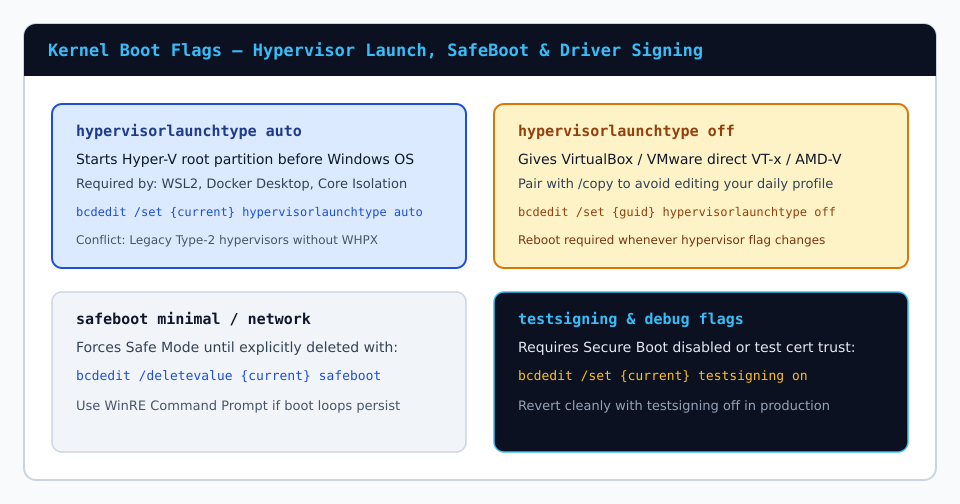
Developers working across WSL2 containers, Docker Desktop, and legacy virtual appliances frequently collide with hardware virtualization ownership on x64 CPUs. When Windows boots with Hyper-V active, the Microsoft hypervisor initializes beneath the primary Windows kernel (turning your interactive OS into the root partition) and reserves Intel VT-x or AMD-V extensions unless guests use Windows Hypervisor Platform (WHPX) APIs.
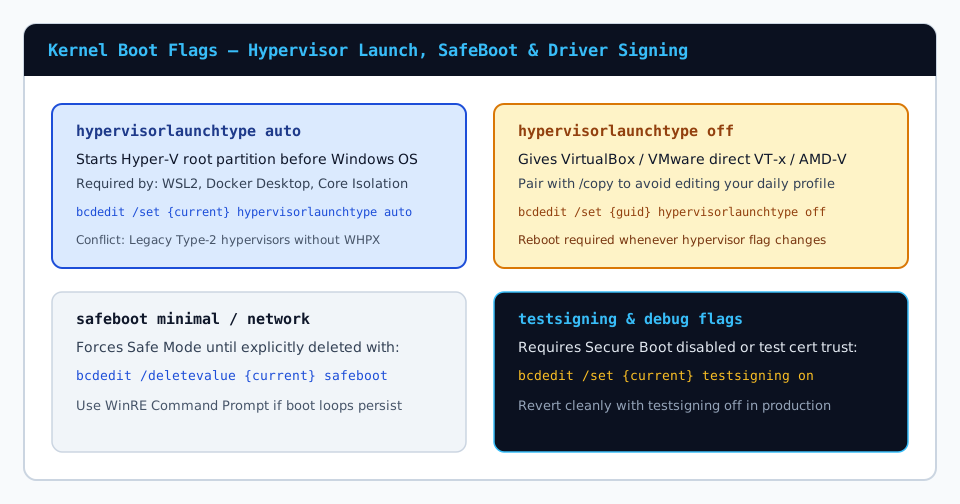
1. How hypervisorlaunchtype Controls Early Boot Ownership
The BCD boolean/enum attribute hypervisorlaunchtype tells winload.efi whether to launch hvix64.exe or hvax64.exe before transferring control to ntoskrnl.exe:
hypervisorlaunchtype auto: Starts Hyper-V whenever virtualization hardware and Memory Integrity (HVCI) features are enabled. Required for WSL2, Windows Sandbox, and Credential Guard.hypervisorlaunchtype off: Suppresses root hypervisor initialization so third-party ring-0 drivers can claim VMX/SVM instructions directly at maximum nested performance.
2. Why You Should Clone a Dual-Profile Entry Instead of Overwriting {current}
Overwriting {current} directly means running elevated commands twice every time your workload switches between WSL2 containers and bare-VT-x appliances. Instead, snapshot the store and clone your OS loader once to create an explicit boot menu choice:
bcdedit /export C:\bcd-backup.bak
bcdedit /copy {current} /d "Windows 11 (No Hyper-V / Bare VT-x)"
bcdedit.exe prints a brand-new GUID such as {a1b2c3d4-...}. Apply the toggle strictly to that cloned identifier and set a menu timeout so you can select profiles at power-on:
bcdedit /set {NEW_GUID} hypervisorlaunchtype off
bcdedit /set {bootmgr} timeout 5
Handling One-Shot Switches From a Live Desktop
If you prefer zero boot delay most mornings, leave timeout 0 or 1 on your default Hyper-V profile and trigger a single reboot into your VirtualBox/VMware profile using:
bcdedit /bootsequence {NEW_GUID}
shutdown /r /t 5
The subsequent restart returns automatically to your regular Hyper-V and Credential Guard baseline without manual intervention.
3. Memory Integrity, VBS & Firmware Pre-Checks
On corporate Windows 11 endpoints enforcing Virtualization-Based Security (VBS) or Kernel DMA Protection, toggling hypervisorlaunchtype off alone does not automatically disable Core Isolation if registry policy EnableVirtualizationBasedSecurity enforces HVCI. Always verify active runtime ownership using msinfo32.exe under Virtualization-based security after restarting into your cloned profile.