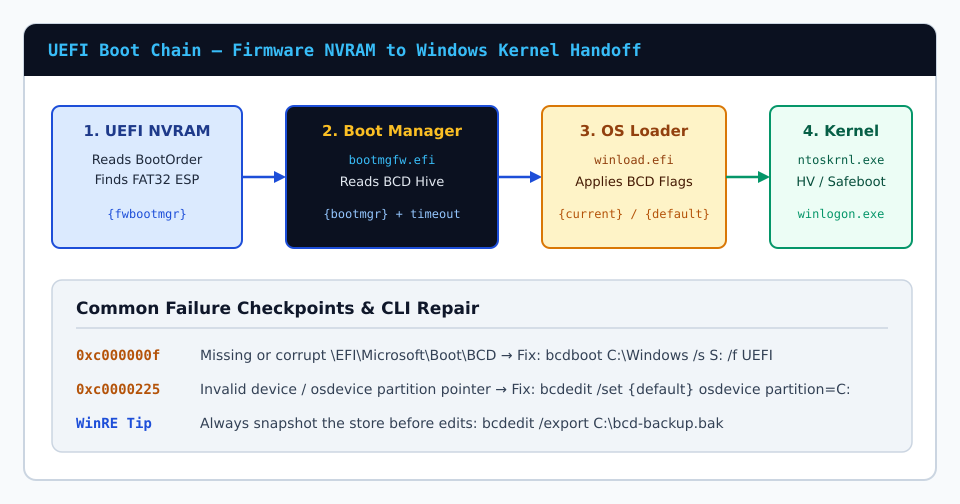
Diagnosing 0xc000000f & 0xc0000225 Missing BCD Errors From WinRE
Resolve Windows Recovery error codes 0xc000000f, 0xc0000225, and 0xc0000098 after disk cloning or NVMe upgrades using diskpart, bcdedit, and bcdboot.
Read Complete GuideField-tested tutorials for backing up live BCD hives, toggling hypervisorlaunchtype cleanly, rebuilding GPT EFI bootloaders with bcdboot, and fixing WinRE stop codes.
Resolve Windows Recovery error codes 0xc000000f, 0xc0000225, and 0xc0000098 after disk cloning or NVMe upgrades using diskpart, bcdedit, and bcdboot.
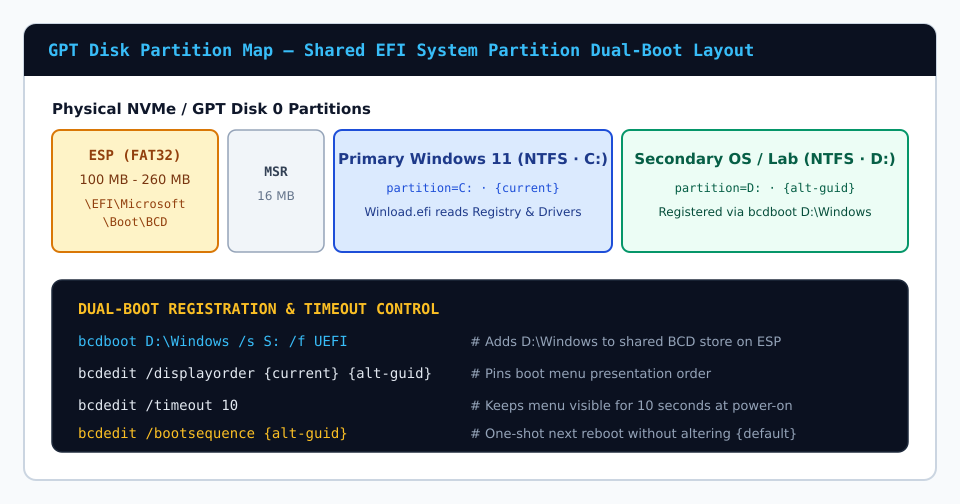
Read Complete GuideConfigure reliable multi-OS Windows 10, Windows 11, and Server dual-boot menus on shared GPT EFI partitions using bcdboot, displayorder, and bootmenupolicy.
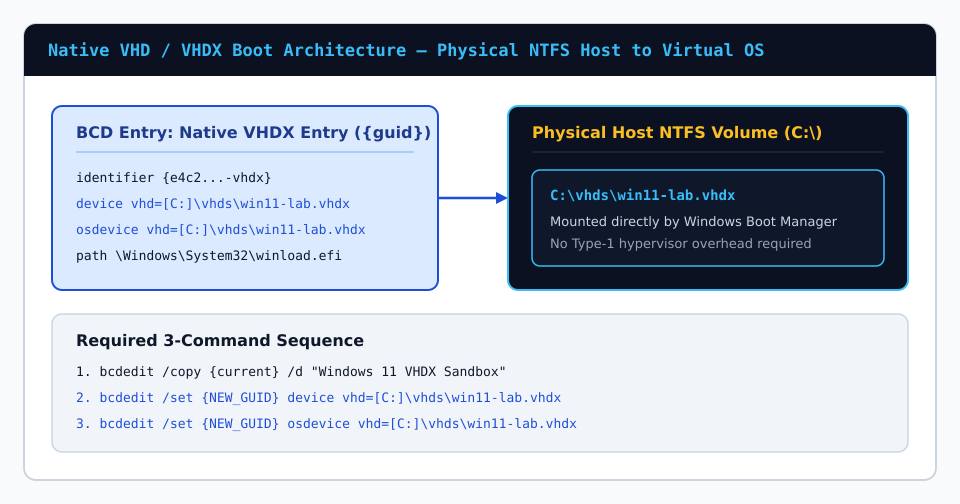
Read Complete GuideMount and boot Windows Enterprise, Education, or Pro directly from a VHDX container file on an NTFS volume using bracketed bcdedit vhd= pointers.
Read Complete GuideUnderstand why legacy bootrec /fixboot fails with Access Denied on modern GPT EFI partitions and how bcdboot recreates \EFI\Microsoft\Boot\BCD cleanly.
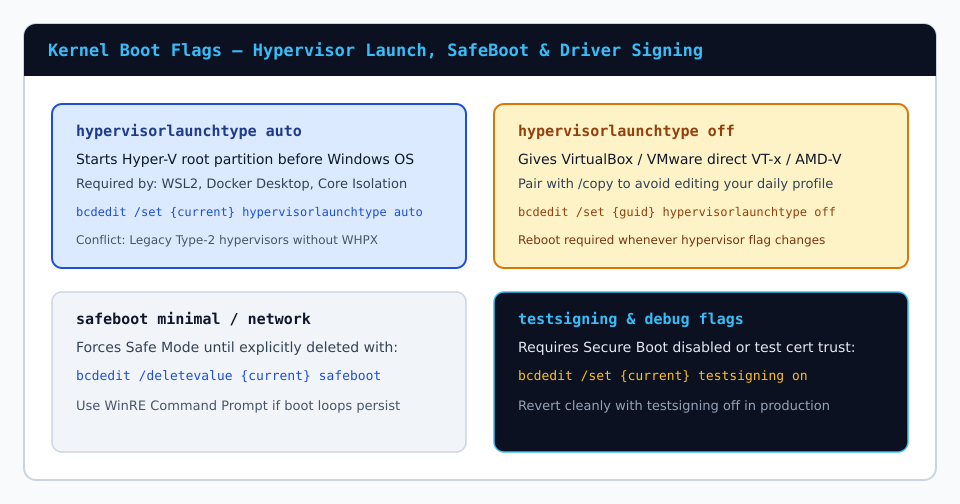
Read Complete GuideRun Type-2 hypervisors alongside WSL2 and Docker Desktop cleanly by cloning Windows Boot Manager entries with distinct hypervisorlaunchtype states.
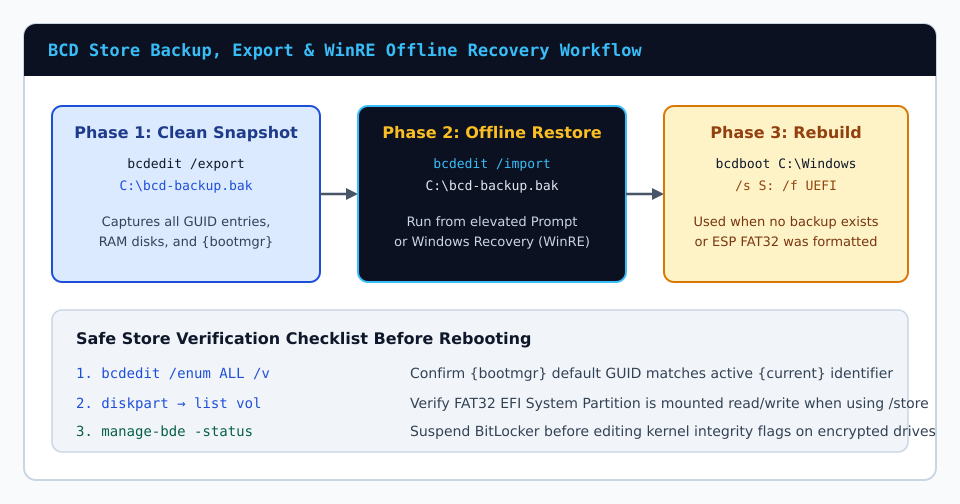
Read Complete GuideCreate atomic binary snapshots of your live Windows Boot Configuration Data hive with bcdedit /export and restore cleanly inside WinRE before boot edits.
Read Complete Guide